Automating with Terraform and CodeShip
Tear it down and automate!
Today I completely tore down my existing infrastructure for this static website and rebuilt the entire thing in Terraform! They say you never truly understand something until you can write automation, tear it down, and rebuild it in just a few minutes. See updates to the git repo here.
One step closer in the pursuit of everything-as-code!
This site still relies on the same underlying infrastructure: AWS S3 for static hosting, Route53 for DNS, and CloudFront for CDN and SSL, but I also integrated a CI/CD pipeline using CodeShip to automate the build and deployment of this website to my production S3 bucket.
I also got my first exposure to using public modules in Terraform and really spent some time pouring over the code to understand how everything fit together.
Here were my steps (roughly outlined):
Note: I accomplished the majority of this with help from https://rollout.io/blog/automate-your-hugo-site-with-codeship-and-terraform/
-
First, I created a new
/terraformfolder in my existing git repo for this project and populated it with a main.tf, provider.tf, and vars.tf. I used an external terraform module called hugo-s3-cloudfront and configured settings based on my specific implementation (variable names, region, etc). It took quite some time to read through the code to fully understand how it all fit together - but this was a great learning experience, especially because I’m in the process of writing my own modules for a Wavefront alerts-as-code project at work. -
After configuring the local terraform files, the next step was to create an s3 bucket
ericfuerstenberg-terraformto serve as the backend to store the .tfstate file safely. -
Next, I created a dynamo db table to provide a state locking mechanism for the .tfvars file - we don’t want anyone or anything else modifying this statefile when we’re making changes to our infrastructure.
-
I ran into problems with the external module when running through my first set of
terraform planandterraform apply. First I got stuck using an outdated version of the module, which had missed some requirements that the aws provider required I specify in terraform. To make matters worse, once I switched to the most upt to date version of the module I realized that I needed to upgrade to Terraform 0.12. This kicked off another string of issues that required extensive debugging (syntax errors in the conversion between v0.12 and 0.11.44, AWS API errors, bugs in the module itself) which took quite a bit of time to deal with. -
After an hour and a half or so of debugging, I got the AWS infrastructure up and running. There’s nothing like seeing a clean
terraform planandterraform apply!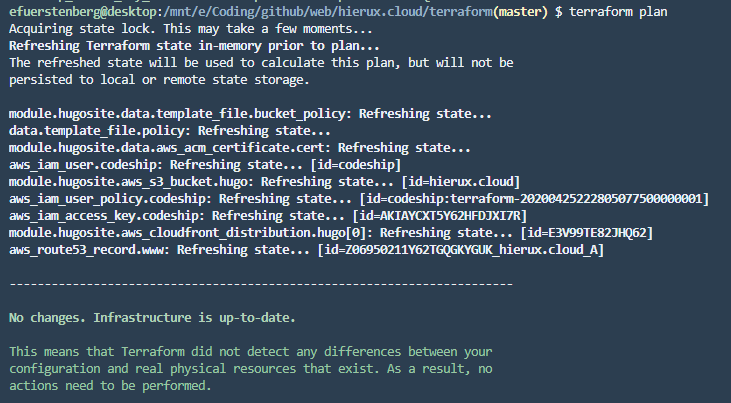
-
I then configured an S3 bucket at www.ericfuerstenberg.cloud to redirect requests to ericfuerstenberg.cloud. This also required setting an alias record pointing www.ericfuerstenberg.cloud to ericfuerstenberg.cloud in Route 53, which directs requests to the cloudfront endpoint with SSL enabled.
-
Finally, I configured a CI/CD pipeline using github and CodeShip. This process was MUCH easier than I expected and really only required providing instructions on how to download, extract, and install hugo along with configuring the integration with github and aws (providing keys, destination s3 bucket, and logic around what branch I wanted this to work on). Effectively, setting up this pipeline allows me to push my local changes to master branch and automatically publish them to my production environment.
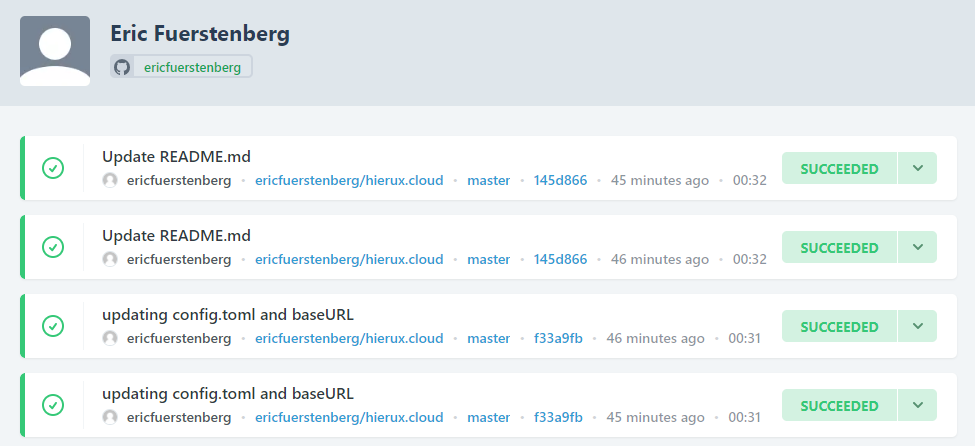
-
The next step in my journey to fully understand CI/CD will be learning what it takes to set up and run my own Jenkins server in AWS.. but that’s for another day.